

35+ Aesthetic Gaming Setup Ideas: Read Before You Finalize The Setup!
When I first began building my gaming space, I focused mostly on performance—graphics cards, monitors, cooling, and all that tech stuff. But after spending countless hours in my gaming room, something felt off. The vibe just wasn’t there. That’s when I realised: an aesthetic gaming setup isn’t just about looks—it changes the whole experience.
Over the past few months, I’ve unboxed, tested, and spent weeks (sometimes months) fine-tuning my battlestation to make it both functional and visually appealing. I discovered that a clean, stylish layout with clever lighting, smart cable management, and the right gaming desk accessories completely transformed how I felt during long gaming sessions. It boosted my mood, made me more focused, and honestly, made me want to spend more time in my space.
Having a setup that feels like me—minimalist, modern, a little futuristic—gave my gaming area its own personality. I believe your gaming station should be more than just a desk and monitor. It should be a place that reflects your style, helps you stay organised, and keeps you comfortable while playing for hours.
That’s exactly why I decided to put together this post on aesthetic gaming setup ideas. Whether you’re into RGB lights, sleek white builds, or cosy wood tones, I’ve got a bunch of ideas to help you build your dream battlestation. Plus, I’ll share some of the best gaming desk accessories I tested that truly complete the setup.
Let’s get into it—you’re just a few steps away from a gaming room that looks as awesome as it feels.
Aesthetic Gaming Setup Ideas At A Glance
| Aesthetic Gaming Setup Ideas | Best For |
|---|---|
| How I Used Wall Decor to Level Up My Aesthetic Gaming Setup | Adding character to blank walls |
| Why I Prefer Minimal Accessories in My Gaming Setup | Keeping things clean and focused |
| My Super-Minimal Setup with Zero Visible Wires | A clutter-free and sleek workspace |
| Creating a Pink Aesthetic Setup with Nanoleaf Panels | Soft and vibrant visual appeal |
| How I Built My Triple Monitor Aesthetic Battlestation | Multi-tasking and immersive gaming |
| Adding Artwork and Greenery to Soften My Setup’s Look | Bringing balance with natural elements |
| How Blue LED Lights Changed the Mood of My Battlestation | Creating a calm, modern vibe |
| My Pink and Purple Aesthetic Gaming Setup Vibe | A cozy, pastel-colored mood |
| Stormtrooper-Themed White Setup I Built for a Clean Look | Fans of clean, themed aesthetics |
| Adding X-Ray Posters to Make My Setup Unique | Sci-fi lovers and unique decor fans |
| Why a Simple Desk Lamp Completed My Clean Gaming Setup | Soft lighting without clutter |
| How Natural Light Makes My Gaming Setup Feel Alive | Boosting energy and atmosphere |
| Combining RGB with White for a Bright, Aesthetic Look | Clean looks with color flexibility |
| My Experience Adding a Touch of Nature with Indoor Plants | Making the setup feel alive |
| Why I Switched to a Matte Black Desk for a Sleeker Aesthetic | A bold, minimal visual upgrade |
| How LED Light Strips Behind My Monitor Changed the Mood | Immersive gaming and cozy vibes |
| Using Floating Shelves to Keep My Setup Minimal | Storing gear without taking up space |
| Matching My Chair with My Setup Colors Was Worth It | A fully coordinated look |
| Why I Chose a White Gaming Setup for a Clean Look | Bright and open-feeling workspace |
| Using a Monitor Light Bar for Both Looks and Function | Stylish yet useful desktop lighting |
| How I Used Wallpapers and Screensavers to Match the Theme | Extending aesthetics to the screen |
| Why I Mounted My Monitor and Regret Not Doing It Sooner | Saving desk space and improving ergonomics |
| Adding Neon Sign Art Took My Setup to the Next Level | Making the setup pop visually |
| Using Transparent PC Case to Showcase My Build | Showing off internal PC components |
| How I Created a Cozy Gaming Corner with LED Panels | Small space with a big vibe |
| Desk Pad Mat That Changed the Look of My Setup | Defining and styling desk space |
| Choosing a Compact Keyboard for Cleaner Layout | Simple, space-saving design |
| My Favorite Way to Personalize: Desk Accessories | Expressing personal style |
| Why I Picked RGB Wall Panels Instead of Strip Lights | More structure and design flexibility |
| How a Dual Monitor Arm Improved My Gaming and Workflow | Freedom of movement and space-saving |
| Syncing RGB Lighting with Music Feels Next Level | Dynamic and reactive lighting experience |
| Minimal Desk Setup with Hidden Cable Management | Maximum cleanliness and simplicity |
| Using a Gaming Shelf to Display Gear and Collectibles | Organizing and showcasing |
| How I Matched My Chair with My Setup Theme | Color consistency and theme match |
| Custom Keycaps Changed the Feel and Look of My Keyboard | Better feel and personalized look |
| Why a Minimal Mouse Bungee Was Worth the Buy | Smooth movement with no drag |
| Matching Desk and Wall Colors for a Harmonized Look | Creating visual unity |
| Finishing Touches: Plants, Lamps, and Ambient Decor | Completing the aesthetic experience |
Exploring the Right Kind of Accessories for Aesthetic Gaming Setup Ideas
When I started putting together my aesthetic gaming setup, I realised pretty quickly that looks alone weren’t enough. The right accessories make a huge difference—not just for performance, but for how the whole space feels. I began with the basics: a high-performance gaming mouse that felt comfortable in hand and responded just right. No fancy fluff—just smooth tracking and solid clicks.
Then came the mechanical keyboard. Honestly, this was a game-changer. The satisfying sound of each keypress, combined with some soft RGB lighting, made my desk feel like a proper battlestation. A good gaming headset was next on the list. For me, audio quality matters, especially in immersive games or late-night sessions when I don’t want to disturb anyone.
View of Our Recent Purchase for our setup:
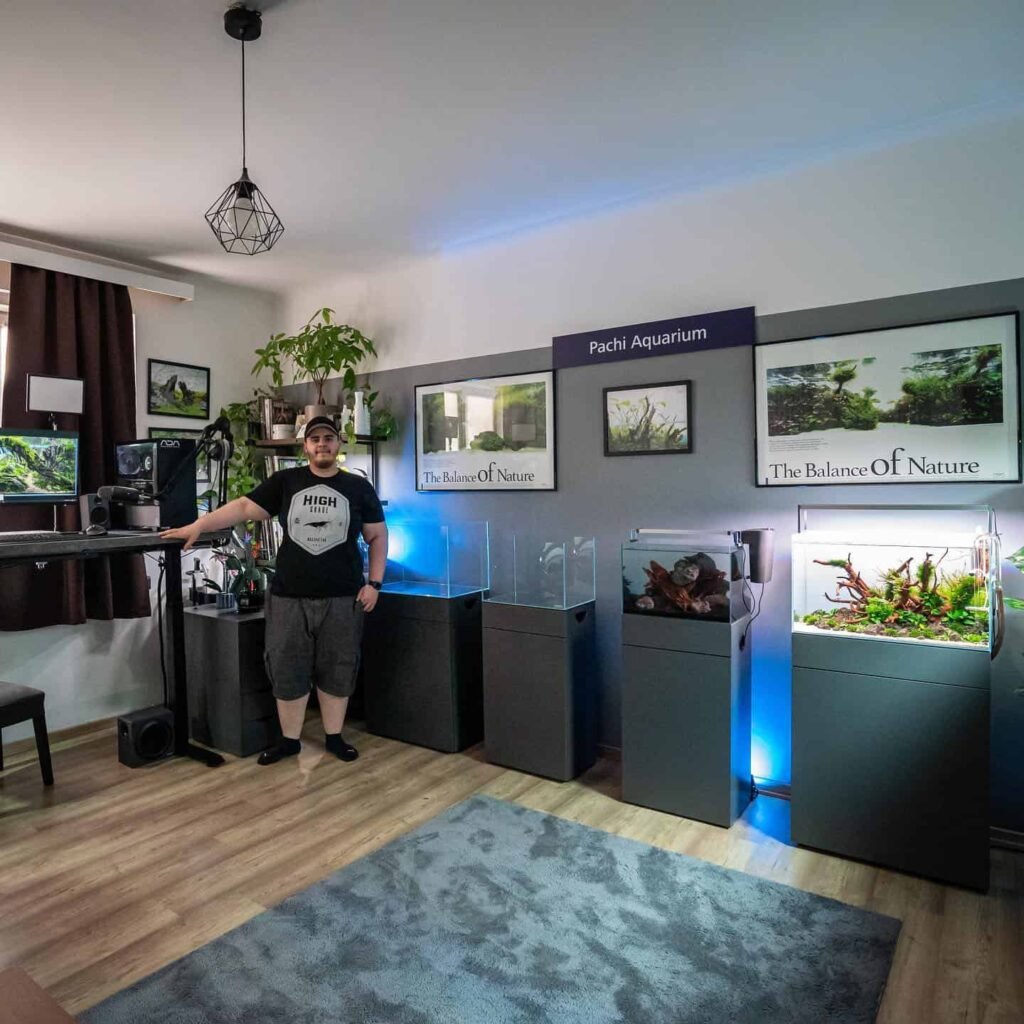
Switching to an ultra-wide monitor was one of those upgrades I wish I’d done sooner. It cleaned up my desk, boosted productivity, and made everything feel more cinematic. Comfort-wise, I finally gave in and bought an ergonomic gaming chair Anda Seat —back pain gone. Simple as that.
I also picked up a high-quality microphone for chatting and recording, and that’s something I didn’t know I needed until I had it. For visuals, upgrading to a better graphics card really completed the setup. And yeah, a customisable game controller was a nice bonus for when I switch from keyboard to casual gameplay.
These weren’t just random purchases. Each one added to the overall vibe, feel, and performance of my setup. If you’re planning your own aesthetic gaming setup, I’d definitely recommend investing in gear that matches both your style and your needs.
Aesthetic Gaming Setup Ideas: Tested Ones
Why you can trust Best Home Office Computer Desk UK: Our expert reviewers spend hours testing and comparing products and services so you can choose the best for you. Find out more about how we test.
How I Used Wall Decor to Level Up My Aesthetic Gaming Setup
When I started focusing on the aesthetics of my gaming setup, the wall behind my desk felt like wasted space. So I added a few RGB light strips and some honeycomb wall shelves to turn it into a focal point. I placed a few small figures, plants, and accessories on the shelves, and suddenly the whole room felt more alive. Wall decor helped give my gaming area a personality that felt uniquely mine. If you’re building your own aesthetic gaming setup, I definitely recommend making use of the wall — it’s a game-changer.

Why I Prefer Minimal Accessories in My Gaming Setup
I’ve tried setups full of gadgets and lights, but I always find myself coming back to a cleaner, simpler layout. With just the essentials — a sleek monitor, a compact keyboard, and a clean desk surface — the space feels calm and focused. Minimal setups not only look great but also help me stay more productive and less distracted. You really don’t need expensive accessories to achieve a stylish look. Sometimes, less is more — and in my case, it absolutely is.
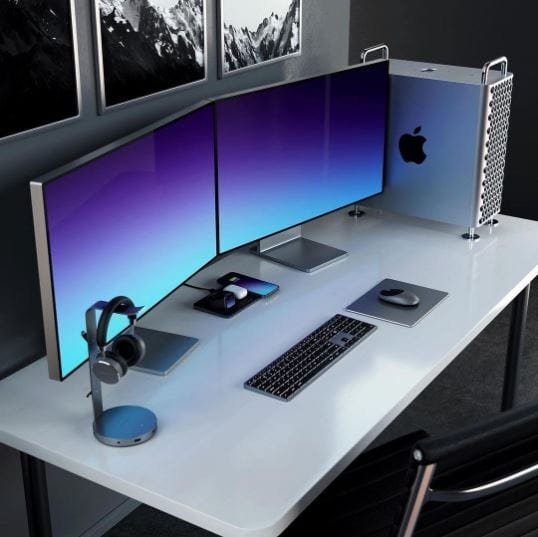
My Super-Minimal Setup with Zero Visible Wires
Nothing ruins a clean gaming setup faster than messy cables. I took the time to properly route my cables behind the desk, mounted the monitor on the wall, and used wireless accessories whenever possible. The result? A clean, uncluttered space where no wires are in sight. It might take a little extra effort upfront, but having a super-minimal setup with zero visible wires has made my gaming room feel much more modern and peaceful. Trust me, good cable management is totally worth it.

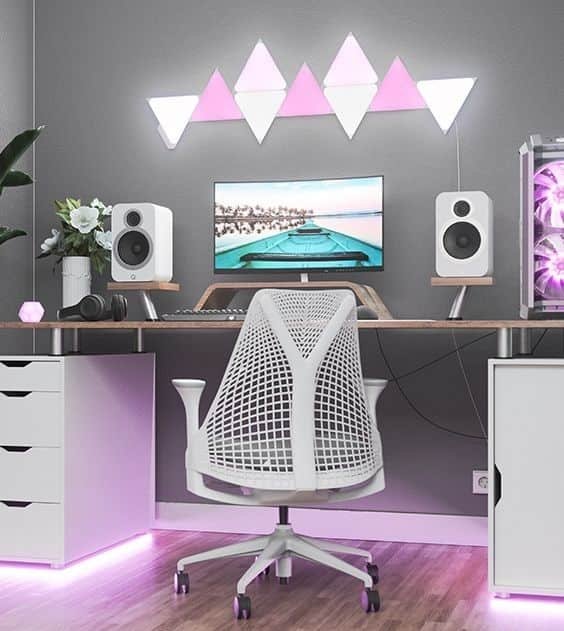
Creating a Pink Aesthetic Setup with Nanoleaf Panels
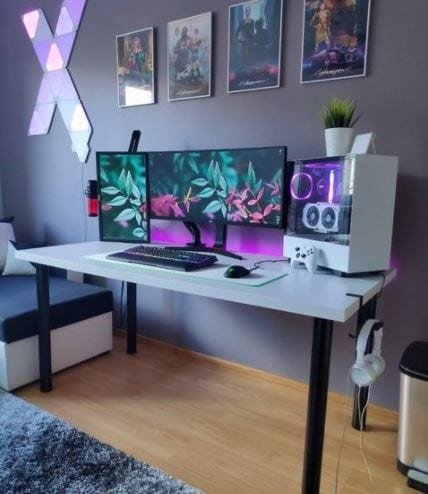
I always wanted my gaming setup to feel soft and vibrant at the same time, and pink lighting helped me achieve that. I used Nanoleaf panels on the wall to create ambient lighting, and added RGB strip lights under the desk for a smooth glow. The pink tone instantly changed the mood of the room. Combined with a white desk and minimal accessories, the lighting made everything pop. If you’re after a pink aesthetic, Nanoleaf panels are definitely worth trying out — they make the entire setup feel magical.
How I Built My Triple Monitor Aesthetic Battlestation
Running a triple monitor setup sounds overwhelming, but with the right arrangement, it’s not just functional — it looks incredible too. I mounted all three screens to keep my desk clear and added RGB lighting behind them for a soft, immersive vibe. The key was spacing everything evenly and using monitor arms to eliminate clutter. It took some tweaking, but now my battlestation feels super immersive and clean. If you multitask or stream, a triple monitor setup is totally worth it.
Adding Artwork and Greenery to Soften My Setup’s Look
To break the cold, techy vibe of my setup, I added a few framed posters and small indoor plants around my desk. It made a bigger difference than I expected. The artwork adds personality, and the greenery makes the space feel calmer. I went with simple prints that match my color theme and chose low-maintenance plants like snake plants and pothos. These little touches turned my desk area into a place I actually enjoy spending time in, even outside gaming.

How Blue LED Lights Changed the Mood of My Battlestation
I wanted to give my setup a cooler, more futuristic feel, so I installed blue LED strips behind my monitor and desk. The result was amazing — it gave the space a clean, focused mood that’s perfect for late-night gaming. Blue lighting feels calming but still high-tech, and it works great if you’re going for a cyber or minimalist look. Just a few strips can really transform your gaming area without spending a lot.

My Pink and Purple Aesthetic Gaming Setup Vibe
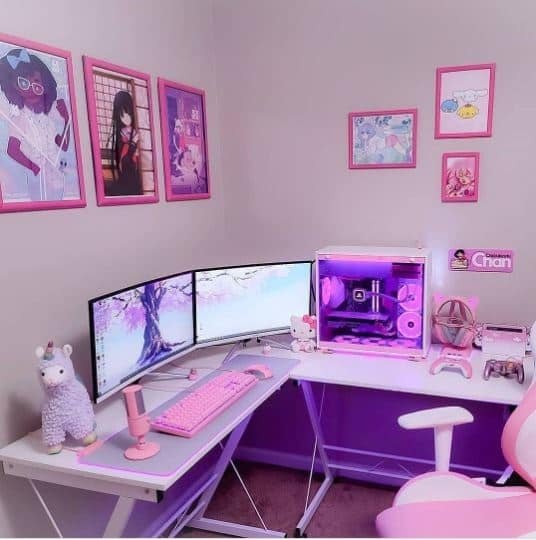
This combo is one of my favorites. I used soft pink and purple LED strips along with Nanoleaf panels to give my gaming space a two-tone glow. I kept the accessories minimal — just a white monitor, keyboard, and chair — to let the lighting shine. The result feels dreamy and cozy without being over-the-top. If you love gentle color themes and want your setup to feel relaxing and playful, pink and purple lighting is the way to go.
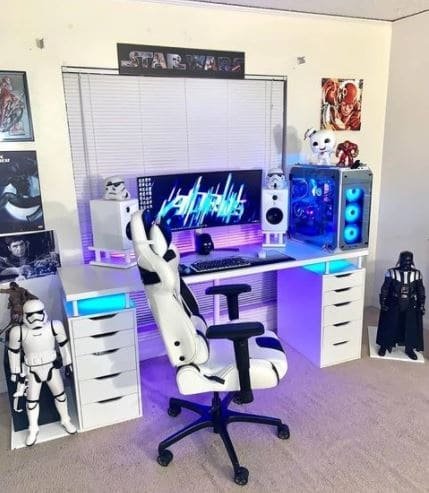
Stormtrooper-Themed White Setup I Built for a Clean Look
As a Star Wars fan, I always wanted to bring some of that universe into my gaming setup. I went with a white and black theme inspired by Stormtroopers — white desk, white monitor, black mousepad, and a few Star Wars figurines on the shelf. It gave the whole space a clean, bold look that’s both geeky and modern. If you’re into themed setups, this one’s easy to pull off and looks amazing when paired with subtle RGB lighting.

Adding X-Ray Posters to Make My Setup Unique
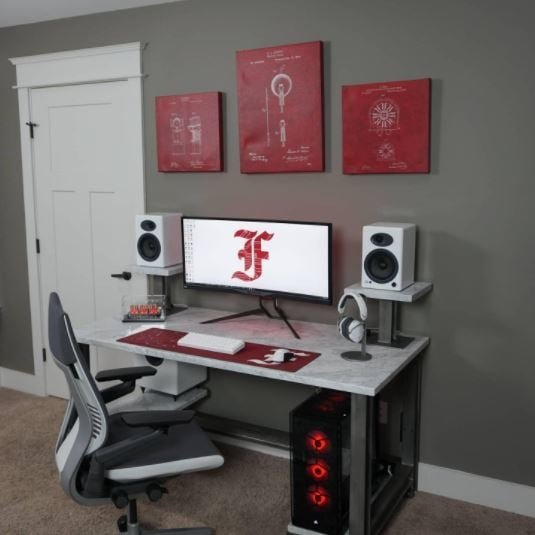
I wanted something different on my gaming wall — not the usual posters. So I added a few X-ray-themed prints with LED backlighting. They look futuristic and really stand out in low light. It’s a small detail, but it gave my setup a unique edge. If you’re trying to make your gaming corner look smarter or more tech-focused, posters like these are a great option without taking up much space.
Why a Simple Desk Lamp Completed My Clean Gaming Setup
Lighting plays a huge role in any aesthetic setup, but sometimes all you need is one good lamp. I picked up a sleek, adjustable desk lamp with soft white light — and honestly, it changed everything. It gave my setup a warm, focused glow without overpowering my RGB lights. It also helps during casual work or reading sessions. If your gaming desk feels incomplete, a clean desk lamp might be the finishing touch you’re missing.
How Natural Light Makes My Gaming Setup Feel Alive
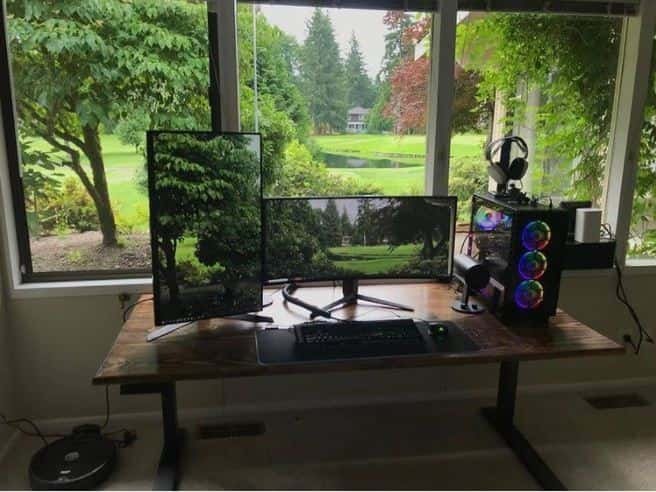
Placing my setup near a big window was one of the best layout choices I made. Natural light makes everything look fresh, clean, and airy — especially during the day. I love how my white and pastel accessories look in daylight. It also helps reduce eye strain compared to being in a dim room all day. If your room layout allows it, setting up near a window is a game-changer for both aesthetics and comfort.

Combining RGB with White for a Bright, Aesthetic Look
I wanted a clean base for my RGB lighting to really shine, so I chose all-white peripherals — keyboard, mouse, monitor, and even a white desk. Then I added subtle RGB underglow and light strips around the room. The contrast between the clean white setup and colorful lighting gave it a vibrant, modern look without being too loud. It’s one of my favorite combos for achieving that bright yet stylish aesthetic gaming setup.

My Experience Adding a Touch of Nature with Indoor Plants
At first, I didn’t think plants had a place in a gaming setup. But after adding a small snake plant and a potted pothos on my desk, the vibe completely changed. It felt fresher, calmer, and less artificial. The green really pops against my black-and-white theme. It’s a simple, budget-friendly upgrade that instantly makes any gaming space feel more alive and balanced. I highly recommend trying it.
Why I Switched to a Matte Black Desk for a Sleeker Aesthetic
My old desk had a glossy finish and picked up every fingerprint and scratch. I recently upgraded to a matte black desk — and wow, what a difference. It doesn’t reflect light, looks super clean, and blends perfectly with RGB lighting. It gave my entire setup a more premium, stealthy look. If you’re struggling to make your desk look cleaner or more aesthetic, going matte might be the upgrade you didn’t know you needed.
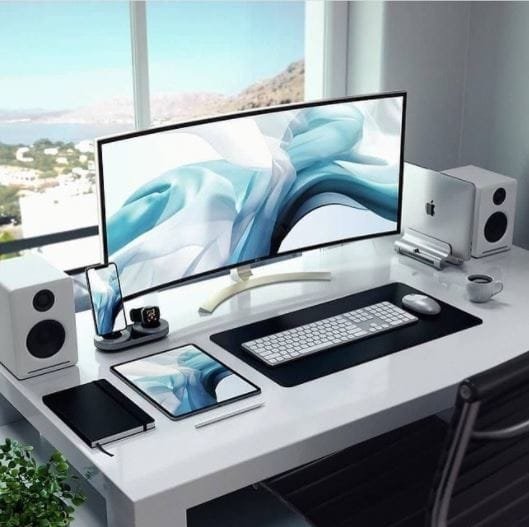
How LED Light Strips Behind My Monitor Changed the Mood
I added RGB LED strips behind my monitor and under my desk, and it instantly changed the whole feel of the room. I can switch colors based on my mood or the game I’m playing. It’s subtle, but it adds depth and makes the setup feel more immersive. For me, LED lighting is one of the best investments for any aesthetic gaming setup — especially since it’s affordable and super easy to install.

Using Floating Shelves to Keep My Setup Minimal
I used to keep all my gaming gear on the desk, which made it feel crowded. Now I use floating shelves to display my controllers, headphones, and a couple of collectibles. It freed up desk space and made everything look more organized and intentional. If you want your battlestation to look clean but still show off your gear, floating shelves are the perfect solution.
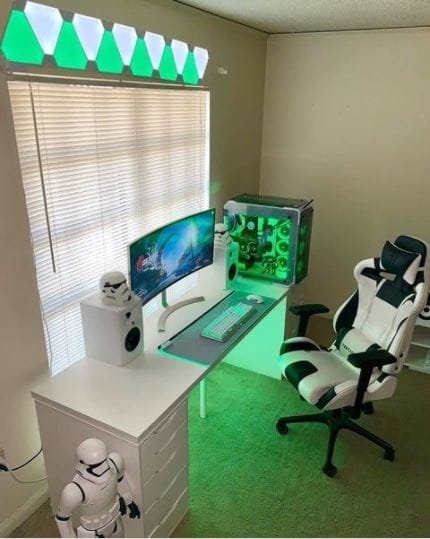
Matching My Chair with My Setup Colors Was Worth It
I never realized how out-of-place my old office chair looked until I got a white-and-black gaming chair to match the rest of my setup. It instantly pulled everything together. Now, the entire space feels more coordinated and intentional. A good-looking ergonomic chair not only feels better during long sessions but also adds to the overall aesthetic in a big way.

Why I Chose a White Gaming Setup for a Clean Look
There’s something so satisfying about an all-white gaming setup. I swapped my black peripherals for white ones — mouse, keyboard, monitor, and even my headset. The clean, modern look immediately made the whole space feel brighter and more open. It’s minimal, aesthetic, and gives off that futuristic vibe I was going for. White setups do take a bit more maintenance, but the payoff is totally worth it.

Using a Monitor Light Bar for Both Looks and Function
I added a monitor light bar mainly for aesthetics, but it turned out to be one of the most functional upgrades I’ve made. It lights up the desk area without causing glare on the screen, and it gives the whole setup a polished, pro look. Especially during night gaming sessions, it’s easy on the eyes and adds subtle mood lighting. It’s now a must-have in my gaming setup.

How I Used Wallpapers and Screensavers to Match the Theme
Even digital elements like wallpapers and idle screensavers matter when it comes to aesthetics. I chose a neon cyberpunk wallpaper that syncs with my RGB lighting theme. Every time I walk into the room, it feels cohesive and intentional. If you’re going for a fully aesthetic look, don’t forget your digital space too — it pulls the whole vibe together.
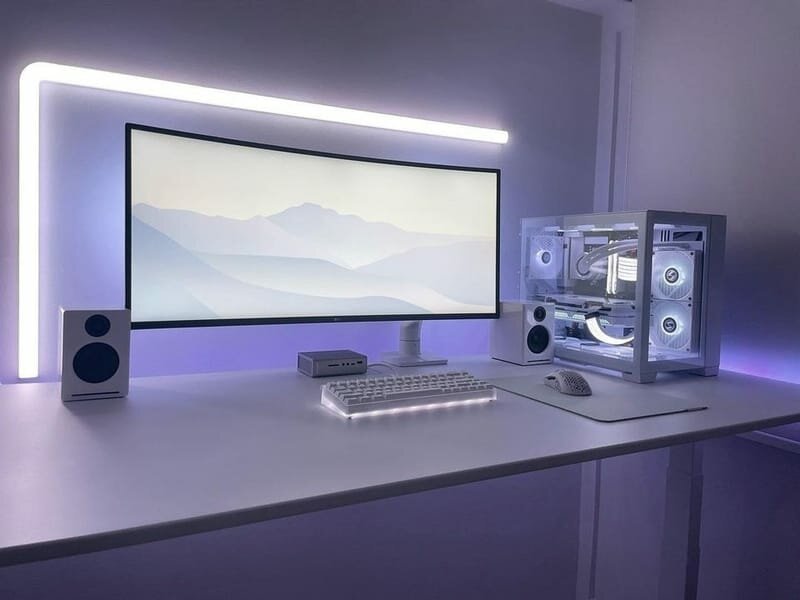
Why I Mounted My Monitor and Regret Not Doing It Sooner
Mounting my monitor was a game-changer. It gave me more desk space, better posture, and a much cleaner look. The floating screen effect looks amazing and pairs perfectly with my LED backlighting. If you want a clean and modern setup, I highly recommend wall-mounting your monitor — it’s worth the small extra effort.
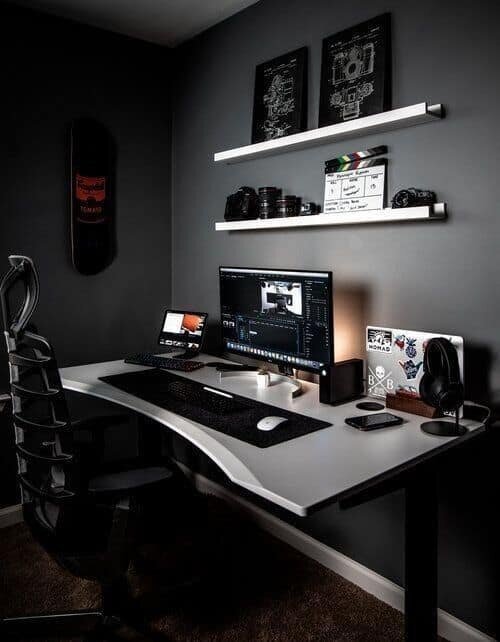
Adding Neon Sign Art Took My Setup to the Next Level
I picked up a custom neon sign with my gamer tag, and it’s now the standout feature of my room. It adds color, glow, and personality to an otherwise neutral setup. Whether it’s your username, a phrase, or just cool shapes, neon signs are one of the best decor upgrades for aesthetic gaming setups.
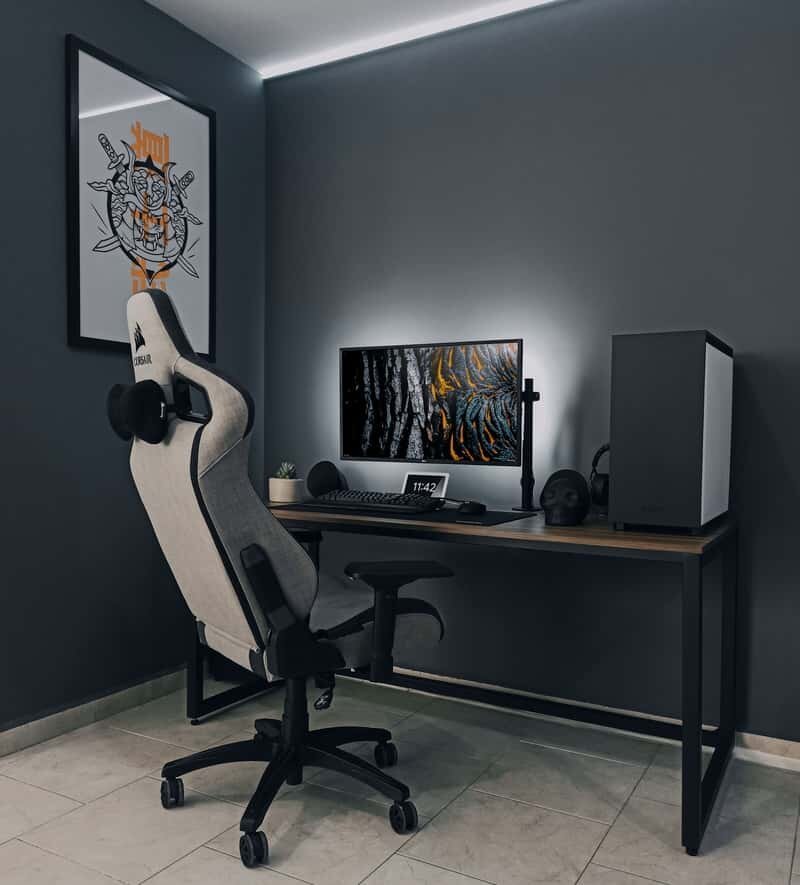
Using Transparent PC Case to Showcase My Build
After building my own PC, I realized I wanted to show off the internals — so I upgraded to a tempered glass case. With synced RGB fans and clean cable management, it became a visual centerpiece. A transparent case not only looks great but also motivates me to keep the inside clean and organized. It’s a style and pride statement rolled into one.

How I Created a Cozy Gaming Corner with LED Panels
For my small room, I turned one corner into a dedicated gaming nook. I added triangle-shaped LED wall panels that sync with sound and colors. The result is a cozy, immersive zone that feels totally separate from the rest of the space. LED panels are on the pricey side, but the ambient vibes they bring are unbeatable.
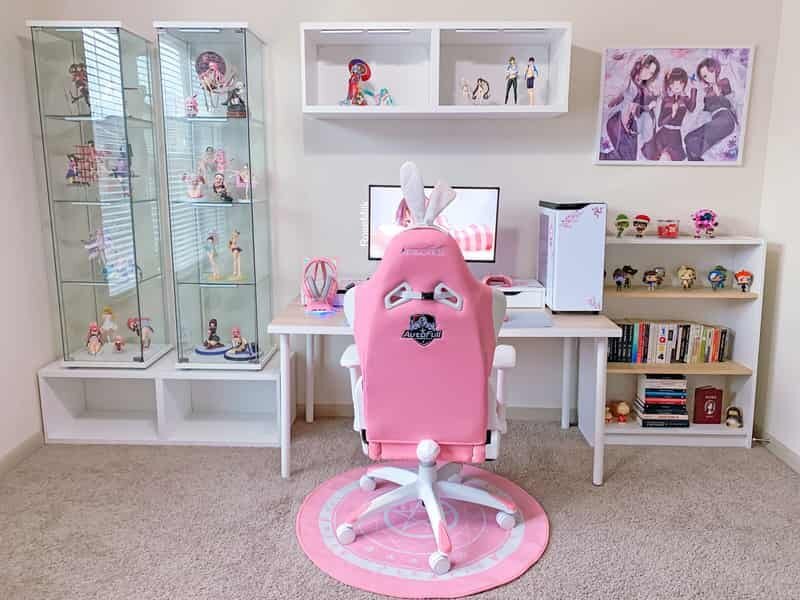
Desk Pad Mat That Changed the Look of My Setup
I bought a large desk pad mat with a subtle gradient design, and it instantly unified my entire desk layout. It protects the surface, reduces keyboard movement, and adds a soft texture under my wrists. It’s one of those little touches that make the whole aesthetic setup feel complete.
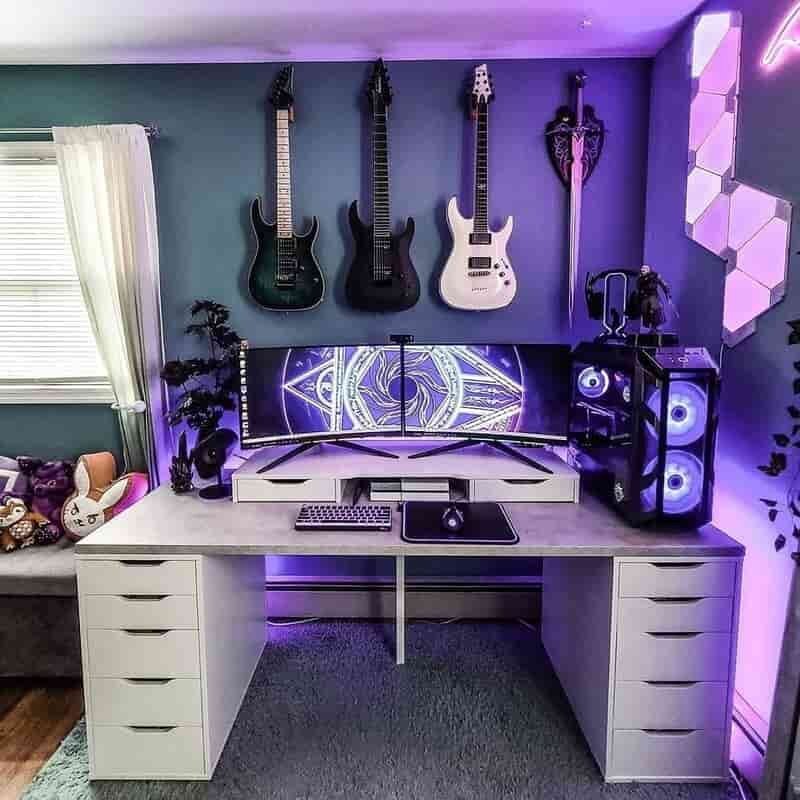
Choosing a Compact Keyboard for Cleaner Layout
I switched from a full-size keyboard to a 60% compact one and never looked back. It freed up space, made my desk look cleaner, and still had all the keys I actually use. A compact keyboard is ideal if you’re going for a minimalist or aesthetic look — especially when combined with a matching mouse and clean cable setup.
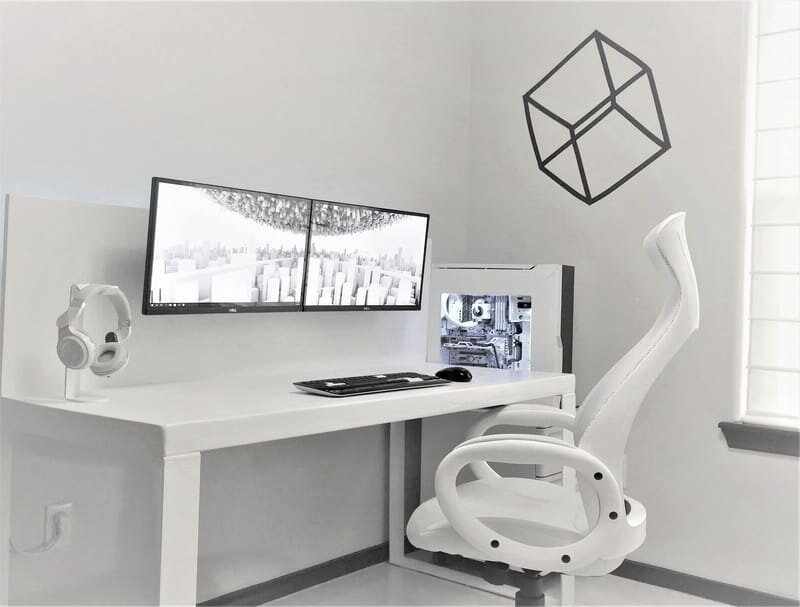
My Favorite Way to Personalize: Desk Accessories
I added a few personal touches like a matching headphone stand, a small desk clock, and a custom keycap set. These accessories may seem minor, but they add character and make the space feel truly mine. Personalization is key if you want your gaming setup to feel both aesthetic and unique — don’t skip it.

Why I Picked RGB Wall Panels Instead of Strip Lights
I started with regular LED strip lights, but once I discovered modular RGB wall panels, I knew I had to upgrade. The geometric designs and sound-reactive lighting added a new level of interactivity. Compared to strips, panels give more structure and style to your setup wall. It’s one of the most aesthetic lighting upgrades I’ve made.
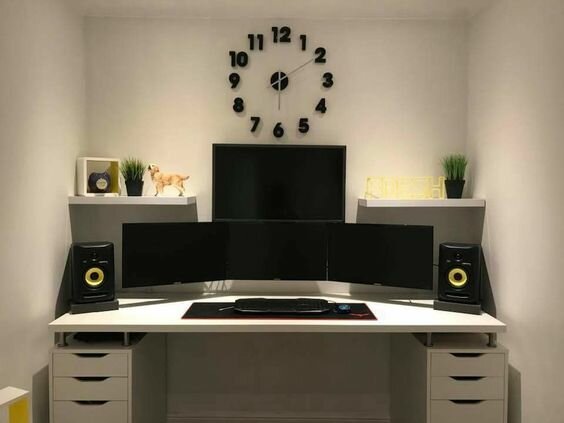
How a Dual Monitor Arm Improved My Gaming and Workflow
Switching to a dual monitor arm not only saved desk space but gave me complete flexibility over screen angles. It made my setup look cleaner and more professional. The floating screens enhance the minimalist vibe while improving my multitasking and gaming experience.
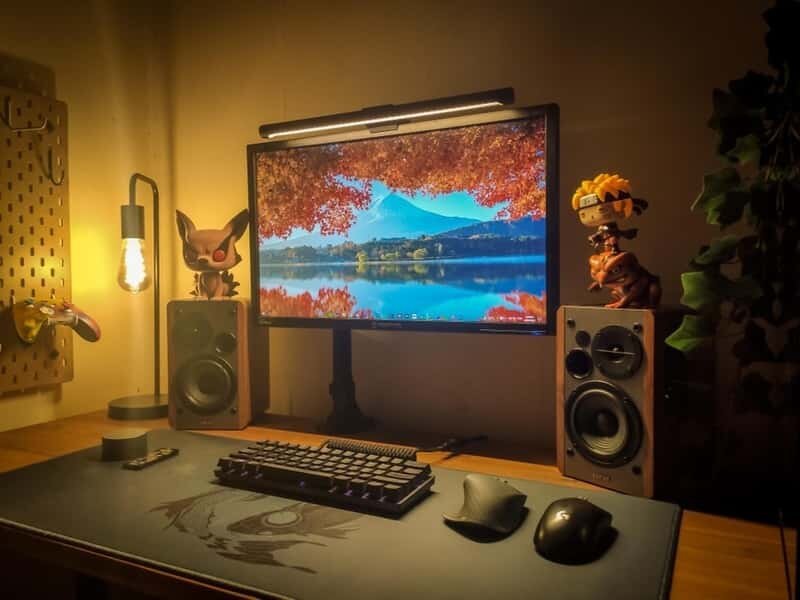
Syncing RGB Lighting with Music Feels Next Level
I connected my RGB lighting to music and in-game sound. Now, my setup reacts in real time to whatever I’m playing — from soft glows during chill games to pulsing lights during action scenes. It creates a mood that’s immersive and makes every gaming session feel like an event.
Minimal Desk Setup with Hidden Cable Management
I took the time to properly hide every wire using under-desk trays, Velcro ties, and sleeves. The difference is massive — no more tangled mess. A clean desk looks more aesthetic, feels more calming, and honestly makes me more productive too.
Using a Gaming Shelf to Display Gear and Collectibles
I added a small floating shelf beside my desk to showcase my controllers, game boxes, and a few collectibles. It personalizes the space while keeping my actual desk clutter-free. For aesthetic setups, having a display zone that reflects your personality really adds charm.
How I Matched My Chair with My Setup Theme
I used to ignore my chair’s look — big mistake. Now I use a sleek white-and-grey ergonomic chair that matches my entire aesthetic. It blends into the setup rather than distracting from it. Comfort is important, but style matters too when you’re building a cohesive battlestation.
Custom Keycaps Changed the Feel and Look of My Keyboard
One of my favorite small upgrades has been custom keycaps. I chose a retro color scheme with soft pastel tones, and it completely transformed the look of my keyboard. It’s a subtle but powerful aesthetic choice that also adds a nice tactile feel.
Why a Minimal Mouse Bungee Was Worth the Buy
I always thought mouse bungees were overkill — until I used one. Now, my cable never drags or gets tangled. Plus, the minimal design of the bungee adds to the clean aesthetic of my mouse zone. Small accessory, big difference.
Matching Desk and Wall Colors for a Harmonized Look
I painted my gaming wall a soft grey and matched it with a matte black desk. The colors blend perfectly with my monitor and RGB setup. A consistent color palette across furniture and walls brings a sense of harmony that elevates any gaming room design.
Finishing Touches: Plants, Lamps, and Ambient Decor
I placed a small fake plant near my monitor, a soft ambient desk lamp, and even a framed print beside my battlestation. These simple decor touches make the space feel less tech-heavy and more balanced. If you’re after that aesthetic vibe, the finishing touches truly make all the difference.
Related Resources:
- Best Standing Desk For Home Office UK
- Best Standing Desk For Tall People
- Best Standing Desk For Short People
- Pink Gaming Setup Ideas
- White Gaming Setup Ideas
- Gaming Desk Setup Ideas

James Ergonomic Expert
James is an ergonomic expert with hands-on experience in optimizing home and office workspaces. Passionate about posture, comfort, and productivity, James tests and reviews ergonomic desks and chairs to help readers find the right setup for their daily needs. His insights are grounded in real-world usage and practical knowledge.

Gareth
Gareth Thomas is an ergonomic desk assessment expert known for his hands-on approach to reviewing home and office workspaces. With years of experience in ergonomic design and functionality testing, Gareth provides practical, real-world insights to help readers find the perfect desk for multiple monitor setups, posture support, and productivity.

Kirtley
David Kirtley is an ergonomic desk assessment expert with a sharp eye for workspace efficiency and comfort. With a background in occupational health and years of reviewing desks in real-life setups, David helps readers make informed choices on ergonomic desks that support productivity, posture, and multi-monitor use.